Build a Retrieval-Ready Documentation Pipeline on a Cloud VM
When you build a chatbot or a RAG-based assistant, the model does not magically know your product documentation, policies, or internal processes. So when a user asks:
-
“How do I rotate my API key?”
-
“What’s our refund policy for enterprise customers?”
-
“How do I deploy this service on staging?”
The model doesn’t already know your product docs. It only knows what it was trained on broadly; not your specific or up-to-date content. It must fetch the relevant information first based on semantic similarity (how closely two pieces of text match in meaning, not just keywords).
Here’s what happens in simple terms:
-
The question is converted into an embedding.
-
The system searches a vector database.
-
It retrieves the most relevant documentation chunks.
-
Those chunks are sent to the model as context.
-
The model generates an answer grounded in them.
So the system isn’t reading full pages. It’s retrieving specific fragments of documentation.
That’s why structure matters. If your docs aren’t cleanly chunked and well-labeled, retrieval becomes unreliable — and so do your answers.
How this tutorial connects to RAG systems
Retrieval-Augmented Generation (RAG) systems rely on well-structured, semantically clean source content. While most RAG tutorials focus on embeddings, vector databases, and query pipelines, they assume the underlying documentation is already retrieval-ready.
This tutorial addresses that foundational layer. Instead of building the retrieval engine itself, we design documentation in a way that makes it optimally consumable by retrieval systems. The structured chunks, stable section IDs, canonical URLs, and metadata we generate here are exactly what embedding pipelines and vector databases require downstream.
In other words, this workflow prepares documentation to perform reliably inside a RAG architecture.
In this tutorial, we will build a retrieval-ready documentation pipeline from scratch on a cloud VM. By the end, you will have:
- A deployed FastAPI service running on Docker
- Markdown documentation structured with semantic section boundaries
- A custom chunking script that converts documentation into machine-readable JSON
- Retrieval-ready metadata including section IDs, canonical URLs, and word counts
- A generated
chunks.jsonartifact suitable for embeddings or RAG systems
What this tutorial covers
We will:
- Provision a cloud VM
- Install Docker and Docker Compose
- Deploy a simple API service
- Author structured Markdown documentation
- Build a Python chunking pipeline
- Generate a retrieval-optimized JSON artifact
The goal is to design documentation that can be consumed by:
- Humans
- Search engines
- Knowledge bases
- RAG systems
- AI agents
Environment details
This workflow was deployed in the following environment:
- Cloud provider: DigitalOcean
- VM size: 2 vCPUs, 4GB RAM
- OS: Ubuntu 24.04 LTS (x64)
- Container runtime: Docker Engine 29.x
- Orchestration: Docker Compose v5.x
- API framework: FastAPI
- Reverse proxy: Nginx
- Python version: 3.11 (slim image)
- Documentation format: Markdown (H2/H3 structured)
- Output artifact:
chunks.json
Prerequisites
Before starting, you should have:
- A cloud account (DigitalOcean or equivalent)
- Basic Linux command line familiarity
- Understanding of:
- Docker fundamentals
- Markdown structure
- Basic Python scripting
- Ability to SSH into a VM
- Local browser access to the cloud console
Optional but recommended:
- Familiarity with RAG pipelines
- Basic understanding of embeddings
- Experience with FastAPI
In the next section, we will provision the VM and configure Docker.
Provisioning the cloud VM and installing Docker
To build a retrieval-ready documentation pipeline, we first need a stable runtime environment. Instead of running everything locally, we deploy on a cloud VM to simulate a real-world production setup.
This ensures:
- Isolation from local machine constraints
- Reproducibility
- Network-level testing
- Infrastructure realism
Create a cloud VM
Log in to your cloud provider dashboard and create a new virtual machine with the following configuration:
- OS: Ubuntu 24.04 LTS (x64)
- Size: 2 vCPUs, 4GB RAM
- Disk: 120GB
- Authentication: SSH key
- Monitoring: Optional (enabled for observability)
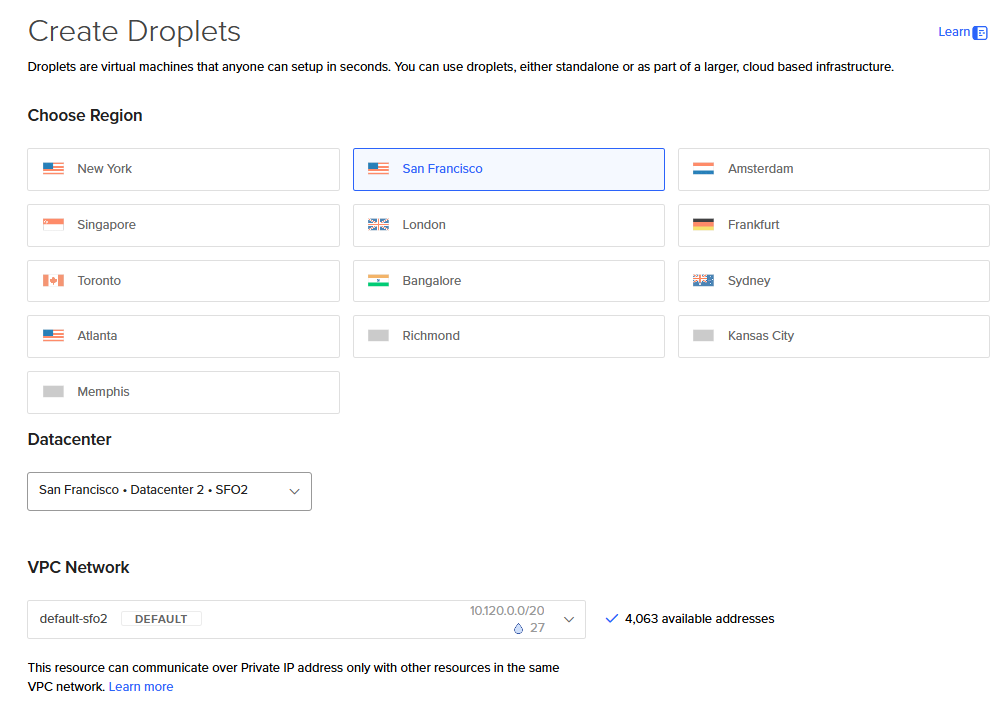
DigitalOcean Droplet (VM) creation
Once provisioned, note the public IPv4 address.
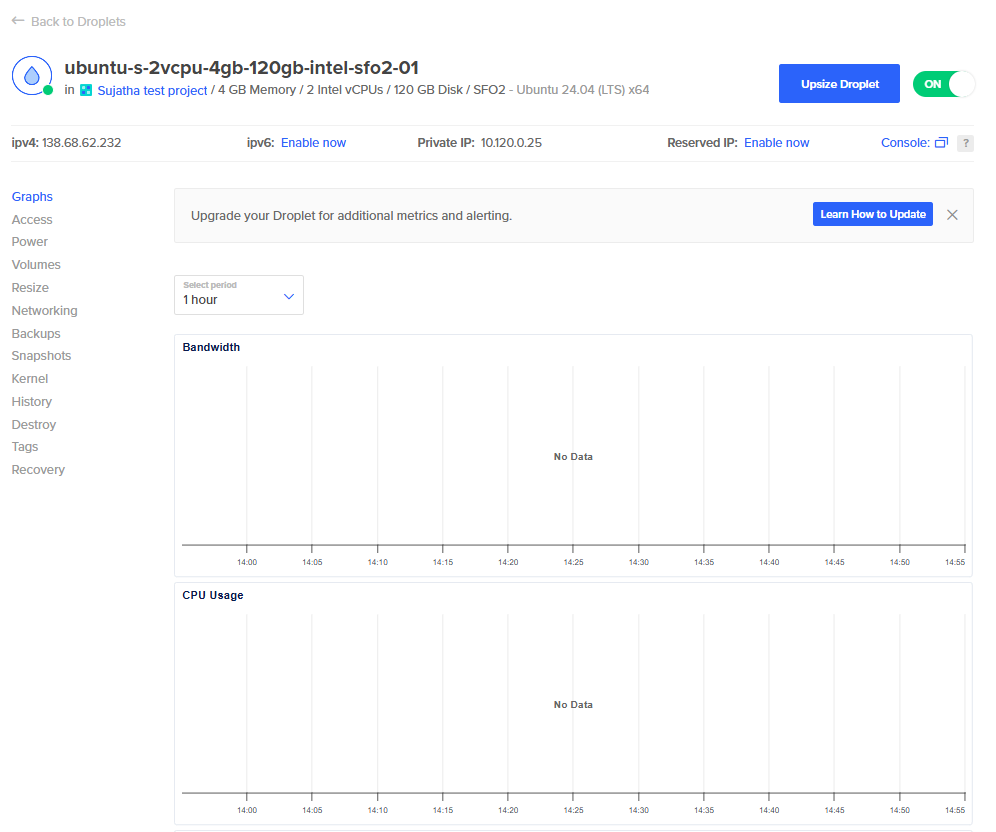
Created a DigitalOcean Droplet
Connect to the VM
Use the web console or SSH:
ssh root@your_public_ip
Install Docker Engine
We install Docker directly from the official repository to ensure compatibility with the latest Compose plugin.
Update system packages
apt-get update
apt-get install -y ca-certificates curl gnupg
Add Docker’s official GPG key
install -m 0755 -d /etc/apt/keyrings
curl -fsSL https://download.docker.com/linux/ubuntu/gpg | \
gpg --dearmor -o /etc/apt/keyrings/docker.gpg
chmod a+r /etc/apt/keyrings/docker.gpg
Add Docker repository
echo \
"deb [arch=$(dpkg --print-architecture) signed-by=/etc/apt/keyrings/docker.gpg] \
https://download.docker.com/linux/ubuntu \
$(. /etc/os-release && echo "$VERSION_CODENAME") stable" \
> /etc/apt/sources.list.d/docker.list
Install Docker and Compose
apt-get update
apt-get install -y docker-ce docker-ce-cli containerd.io docker-buildx-plugin docker-compose-plugin
Enable and start Docker
systemctl enable docker
systemctl start docker
Verify installation
docker --version
docker compose version

Verifying Docker Engine and Docker Compose installation.
If both commands return version numbers successfully, Docker is correctly installed.
Why we use Docker instead of installing dependencies directly
Using Docker provides:
-
Deterministic environments
-
Dependency isolation
-
Reproducible builds
-
Clean teardown and rebuild cycles
-
Production parity
This matters because retrieval pipelines often evolve. You want the ability to:
-
Rebuild services
-
Modify chunking logic
-
Reprocess documentation
-
Deploy changes quickly
Containers make that workflow predictable.
Deploy a FastAPI service with Docker Compose
Now that Docker is installed, we will deploy a simple FastAPI application inside a container using Docker Compose. This service will later be the foundation for testing our documentation and retrieval pipeline.
Create the project directory
mkdir -p ~/rag-docs-demo
cd ~/rag-docs-demo
This directory will contain:
-
The FastAPI application
-
The Docker Compose configuration
-
Supporting documentation files
-
The chunking script
Create the FastAPI application
Create a file named main.py:
cat > main.py << 'PYEOF'
from fastapi import FastAPI

app = FastAPI(title="Docs demo API")


@app.get("/health")
def health():
    return {"status": "ok"}

@app.get("/hello")
def hello(name: str = "world"):
    return {"message": f"hello, {name}"}
PYEOF
This application exposes two endpoints:
-
/health— used for service validation -
/hello— simple parameterized endpoint for testing
Create the Docker Compose configuration
Create a file named docker-compose.yml:
cat > docker-compose.yml << 'YAMLEOF'
services:
  api:
    image: python:3.11-slim
    command: sh -c "pip install --no-cache-dir fastapi uvicorn && uvicorn main:app --host 0.0.0.0 --port 8000"
    volumes:
      - ./main.py:/main.py
    ports:
      - "8000:8000"
    restart: unless-stopped
YAMLEOF
This configuration:
-
Uses a lightweight Python 3.11 image
-
Installs FastAPI and Uvicorn at runtime
-
Mounts the local main.py file
-
Exposes port 8000
-
Enables automatic restart
Start the service
docker compose up -d
docker compose ps
<figure style={{ textAlign: "center", margin: "2rem 0" }}>
<img
  src="/img/aiml/doc-pipeline/docker-compose-running.png"
  alt="Docker compose ps output showing running FastAPI container"
  style={{
    maxWidth: "100%"
  }}
/>
<figcaption style={{ marginTop: "0.75rem", fontSize: "0.9rem", color: "#666" }}>
  FastAPI service running inside Docker.
</figcaption>
</figure>
You should see the api container in a running state.
Verify the API is reachable
curl http://localhost:8000/health
Expected response:
{"status":"ok"}

If you receive a JSON response with "status":"ok", the service is correctly deployed.
Authoring documentation for retrieval systems
At this point, the API is running. Instead of immediately building embeddings or a vector database, we focus on something more foundational:
Designing documentation that retrieval systems can understand.
Most RAG implementations fail not because of the model — but because the source content is poorly structured.
In this section, we will:
- Create structured Markdown documentation
- Use H2 for logical grouping
- Use H3 as retrieval boundaries
- Add stable section anchors
- Prepare content for deterministic chunk extraction
Create a documentation directory
From the project root:
mkdir docs
cd docs
This directory will contain all documentation files that will later be parsed into retrieval-ready chunks.
Create the deployment documentation file
Create a file named deploy.md:
nano deploy.md
Add the following structure:
# Deploy the API with Docker Compose

## Create the project directory

### Create the working directory on the Droplet
This step creates the folder that contains the API source file and the Docker Compose configuration.
mkdir -p ~/rag-docs-demo
cd ~/rag-docs-demo
Verify the directory exists
Expected behavior: the directory is created without errors.
Create the API source file
Define the FastAPI application
This application exposes two endpoints: /health and /hello.
cat > main.py << 'PYEOF'
from fastapi import FastAPI

app = FastAPI(title="Docs demo API")

@app.get("/health")
def health():
    return {"status": "ok"}

@app.get("/hello")
def hello(name: str = "world"):
    return {"message": f"hello, {name}"}
PYEOF
Start the service Run Docker Compose
docker compose up -d
docker compose ps
Verify the API is reachable
curl http://localhost:8000/health
Expected response:
{"status":"ok"}
Why this structure matters
We intentionally use:
- H2 for major task grouping
- H3 for granular answer boundaries
Each H3 section will become one retrieval chunk.
This ensures:
- Clean semantic boundaries
- Better embedding precision
- Reduced hallucination risk
- Deterministic citation mapping

Structured Markdown with H2 grouping and H3 retrieval boundaries.
In the next section, we will build a Python script that parses this Markdown and converts it into retrieval-ready JSON chunks.
Converting structured Markdown into retrieval-ready chunks
Now that we have structured documentation, the next step is to transform it into machine-readable chunks.
Retrieval systems do not consume Markdown directly. They require:
- Clean content boundaries
- Stable section identifiers
- Canonical URLs
- Metadata enrichment
- Structured JSON output
In this section, we will build a lightweight Python script that:
- Parses Markdown files
- Splits content by H3 boundaries
- Generates stable section IDs
- Attaches canonical URLs
- Exports structured JSON
Create the chunking script
Return to the project root:
cd ~/rag-docs-demo
Create a new file:
nano chunk_docs.py
Paste the following code:
import os
import re
import json

DOCS_DIR = "docs"

def slugify(text):
    return re.sub(r'[^a-z0-9]+', '-', text.lower()).strip('-')

def parse_markdown(file_path):
    with open(file_path, "r") as f:
        lines = f.readlines()

    # Remove H1 lines
    lines = [line for line in lines if not line.startswith("# ")]

    sections = []
    current_section = None
    buffer = []

    for line in lines:
        if line.startswith("### "):
            if current_section:
                sections.append({
                    "section_title": current_section["title"],
                    "section_id": current_section["id"],
                    "content": "".join(buffer).strip()
                })
                buffer = []

            title = line.strip().replace("### ", "").strip()
            current_section = {
                "title": title,
                "id": slugify(title)
            }

        elif line.startswith("## "):
            # H2 headings act as grouping only
            continue
        else:
            buffer.append(line)

    if current_section:
        sections.append({
            "section_title": current_section["title"],
            "section_id": current_section["id"],
            "content": "".join(buffer).strip()
        })

    return sections

def main():
    all_chunks = []
    base_url = "http://your-docs-domain.com"

    for filename in os.listdir(DOCS_DIR):
        if filename.endswith(".md"):
            path = os.path.join(DOCS_DIR, filename)
            sections = parse_markdown(path)

            for section in sections:
                content_text = section["content"]
                word_count = len(content_text.split())

                chunk = {
                    "doc": filename,
                    "section_title": section["section_title"],
                    "section_id": section["section_id"],
                    "url": f"{base_url}/{filename}#{section['section_id']}",
                    "word_count": word_count,
                    "content": content_text
                }

                all_chunks.append(chunk)

    with open("chunks.json", "w") as f:
        json.dump(all_chunks, f, indent=2)

    print("Chunk file generated: chunks.json")

if __name__ == "__main__":
    main()
Save and exit.
Run the chunking script
python3 chunk_docs.py
If successful, you should see:
Chunk file generated: chunks.json
Inspect the generated artifact
head -n 40 chunks.json
You should see structured JSON similar to:
{
  "doc": "deploy.md",
  "section_title": "Create the working directory on the Droplet",
  "section_id": "create-the-working-directory-on-the-droplet",
  "url": "http://your-docs-domain.com/deploy.md#create-the-working-directory-on-the-droplet",
  "word_count": 28,
  "content": "..."
}
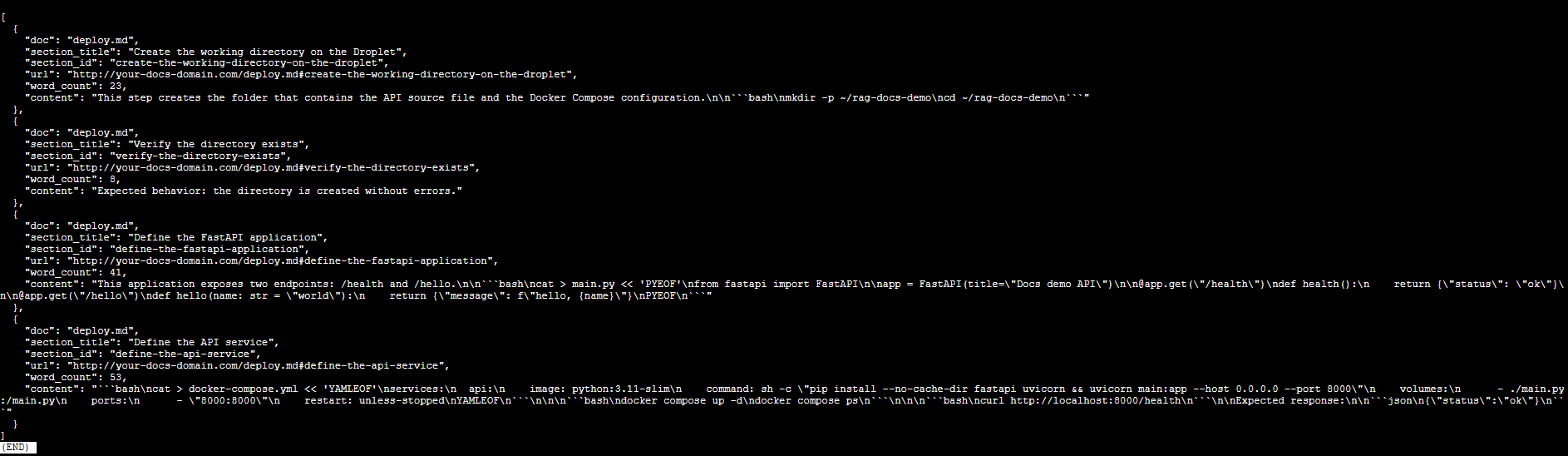
Retrieval-ready JSON artifact generated from structured Markdown.
Why H3-based chunking improves retrieval
We intentionally chunk at the H3 level instead of H2.
This provides:
-
Smaller semantic units
-
More precise embedding vectors
-
Better retrieval recall
-
Reduced hallucination risk
-
Deterministic citation mapping
H2 headings remain logical grouping boundaries for humans, while H3 headings become retrieval boundaries for machines.
At this point, your documentation is officially retrieval-ready.
Future scope
This tutorial stops at the retrieval-ready artifact stage. From here, you can extend the system in several directions:
- Generate embeddings from
chunks.jsonusing an embedding model - Store vectors in a database such as pgvector or Elasticsearch
- Build a semantic search endpoint on top of the stored vectors
- Integrate an LLM to generate grounded responses
- Add citation-aware response formatting using section IDs
These extensions transform this pipeline into a full RAG system.
However, without structured and deterministic chunking, even the best models and databases will struggle.
By designing documentation for retrieval first, you create a strong foundation for any AI-powered knowledge system.