Building an AI Documentation Workflow Agent
This project explores how AI can assist documentation systems, without making documentation dependent on AI availability.
Product teams ship features quickly, but documentation lags behind.
Jira tickets contain implementation details, edge cases, rollout notes, and tracking events. However, they rarely translate directly into documentation-ready structure. Technical writers must manually interpret tickets, extract user journeys, define setup steps, and formalize edge cases before documentation can even begin.
This manual translation layer slows documentation velocity and introduces structural inconsistency across teams.
In this project, I built an AI-powered documentation workflow agent that transforms structured Jira tickets into documentation-ready Markdown blueprints.
Instead of generating final documentation, the system generates structured documentation plans — giving writers a consistent, reusable framework to refine and publish.
The goal is not to replace writers.
The goal is to automate the repetitive translation layer between product tickets and documentation architecture.
Scope
This system:
- Accepts structured Jira ticket content via an API
- Converts the ticket into a standardized documentation blueprint
- Generates a Markdown file automatically
- Falls back to a deterministic template when AI quota is unavailable
The result is a documentation workflow that is:
- Structured
- Repeatable
- Automation-friendly
- Resilient to AI service failures
Understanding the scenario
Documentation maturity is not about writing faster.
It is about building systems that make documentation predictable, structured, and scalable.
By automating ticket-to-blueprint transformation:
- Writers start from architecture instead of raw notes
- Documentation structure remains consistent across teams
- Review cycles become clearer
- Edge cases are captured early
Prerequisites
Before building or running this project, you should have:
1. Technical Requirements
- Python 3.10+ (tested with Python 3.12)
- pip
- Virtual environment support (
venv) - Basic familiarity with FastAPI
- curl (for API testing)
Optional:
- OpenAI API key (only required if using AI generation mode)
2. Infrastructure requirements
- A Linux environment (Ubuntu 24.04 used in this project)
- Public or local server capable of running FastAPI
- Port access (default: 8002)
3. Knowledge requirements
- Understanding of REST APIs
- Familiarity with Swagger/OpenAPI
- Basic knowledge of Jira ticket structures
- Markdown formatting
Tech stack and infrastructure used in this project
-
DigitalOcean Droplet (Ubuntu 24.04 LTS) for hosting the API service
-
Python 3.12 runtime environment
-
FastAPI for building the REST API
-
Uvicorn ASGI server for running the application
-
Virtual environment (venv) for dependency isolation
-
OpenAI API for AI-assisted documentation plan generation
-
Deterministic fallback generator for AI-resilient operation
-
Markdown file generation for structured output
-
Swagger UI (OpenAPI) for interactive API testing
-
curlfor command-line API validation -
Jira for ticket input and project details
-
Git and GitHub for version control
Implementation walkthrough
In this section, we will build the AI documentation workflow agent step by step. The goal is to create a working API service that converts structured Jira tickets into Markdown blueprints.
Step 1: Provision the infrastructure
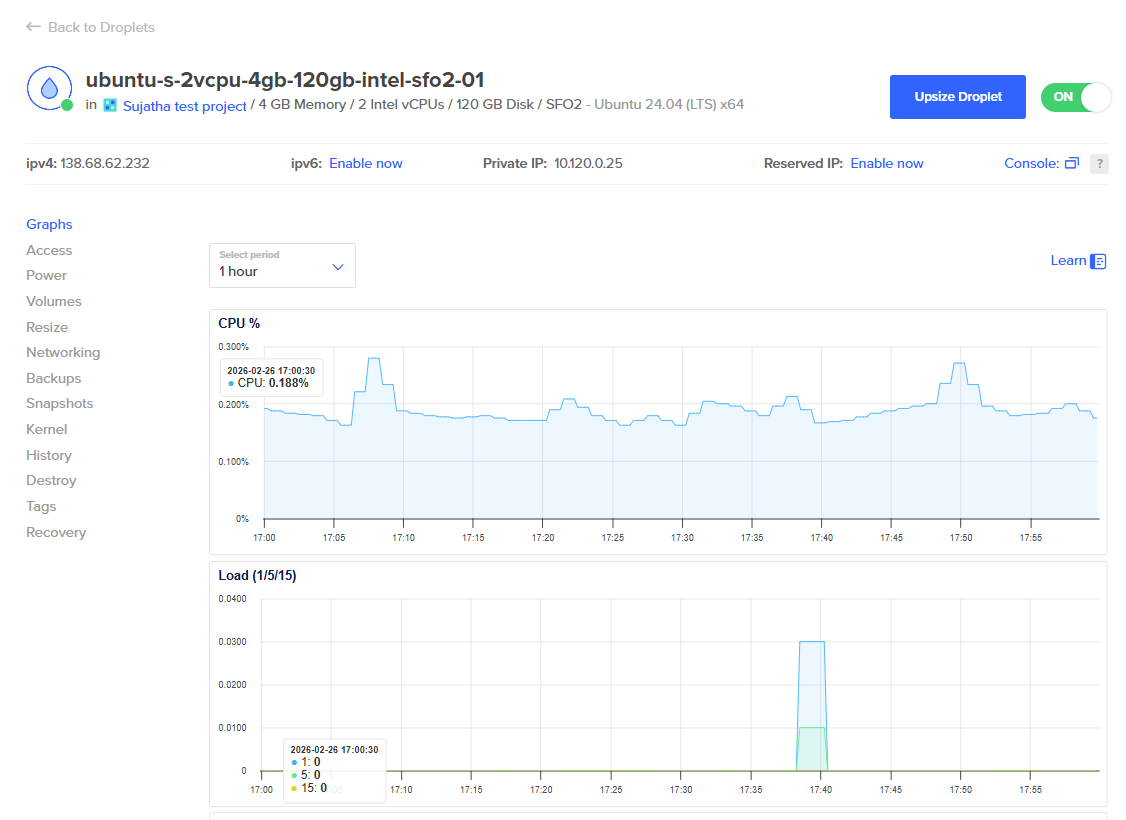
Set up a Linux-based server environment capable of running a Python API service. In this project, a DigitalOcean Droplet running Ubuntu 24.04 LTS was used.
Ensure the server has:
- Python 3.10+ installed
pipavailable- Network access on the desired port (used:
8002)
Step 2: Create and activate a virtual environment
Create an isolated Python environment to manage dependencies cleanly. This keeps dependencies isolated and the setup reproducible.
- Create a project directory
- Initialize a virtual environment (
venv) - Activate the environment
- Install required packages (
fastapi,uvicorn,requests,python-dotenv,pydantic)
Step 3: Build the FastAPI application
Create a FastAPI application with:
- A
POST /planendpoint - Request validation for structured ticket input
- Logic to transform the ticket into a documentation blueprint
At a high level, the endpoint will:
- Accept
ticket_keyandticket_content - Generate structured Markdown output
- Save the output as a
.mdfile - Return the generated filename and a preview in the response
Step 4: Integrate AI generation
Add OpenAI integration to improve documentation plan generation. This supports more dynamic blueprints based on ticket content.
The system should:
- Use the OpenAI API when a valid API key is present
- Generate structured Markdown output using a prompt template
Step 5: Implement deterministic fallback logic
To keep the workflow resilient, implement fallback behavior.
If:
- No API key is present, or
- The AI API returns quota/network errors
Then the system automatically switches to a predefined deterministic blueprint template.
This ensures documentation workflows remain operational even when AI services are unavailable.
Step 6: Generate Markdown output
Write the generated blueprint to a Markdown file with a timestamped filename:
- Persistent output
- Traceability across runs
- Easy handoff into documentation systems
Step 7: Test using Swagger UI and curl
Validate the service end-to-end by:
- Accessing
/docs(Swagger UI) - Sending a POST request to
/plan - Verifying successful file generation
- Confirming the JSON response contains the filename and preview
Implementation
Step 1: Prepare a structured Jira ticket
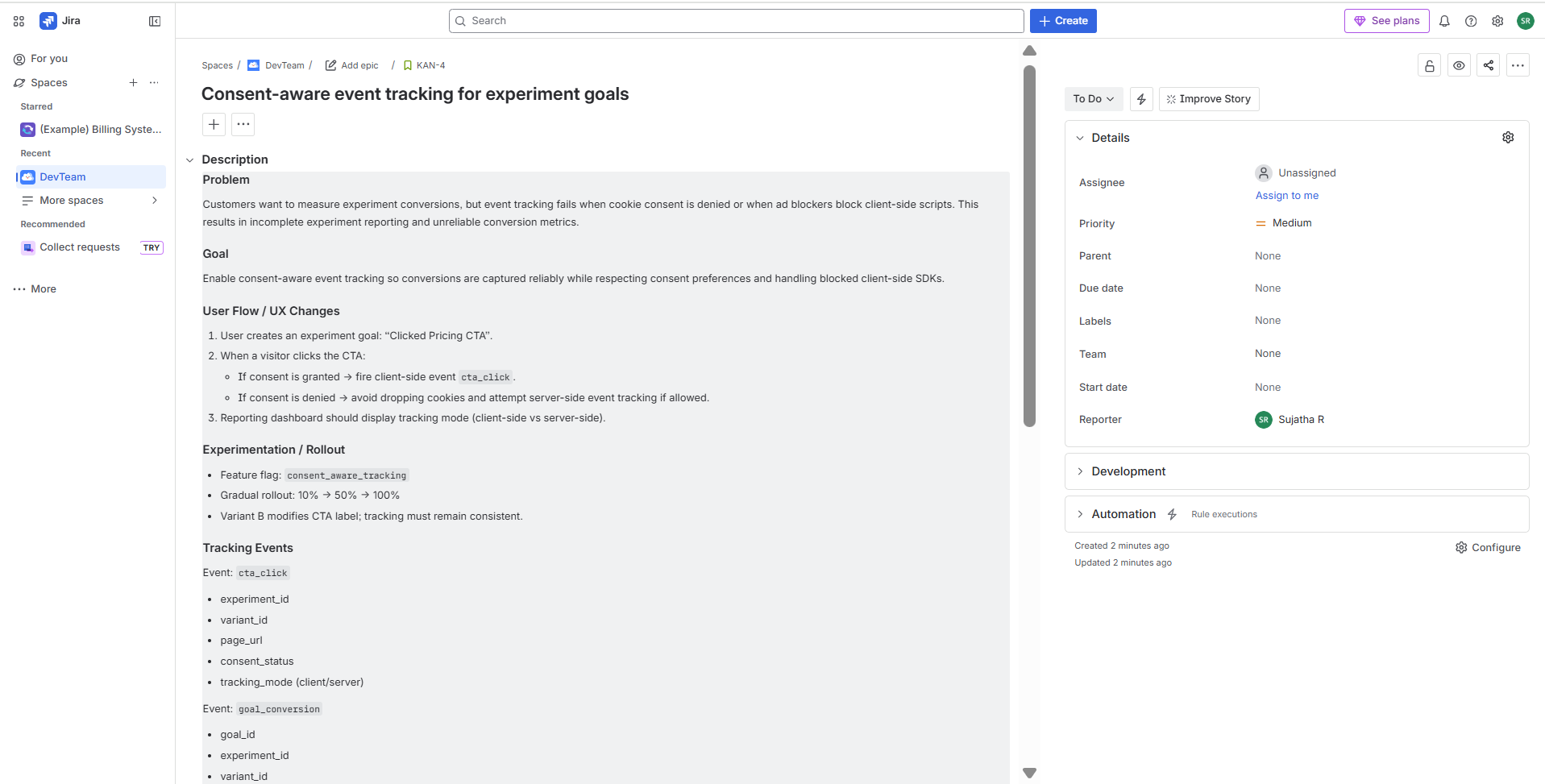
The documentation workflow agent begins with a structured product ticket. The more structured the ticket, the better the generated documentation blueprint. Select or create a Jira project and define a feature ticket that includes:
- Problem statement
- Goal
- User flow or UX changes
- Rollout or experimentation notes
- Tracking events
- Edge cases
- Acceptance criteria
In this project, the ticket KAN-4 ("Consent-aware event tracking for experiment goals") was used as the input example.
Step 2: Set up the server environment
The first step is to provision a Linux-based server capable of running a Python API service. In this project, a DigitalOcean Droplet running Ubuntu 24.04 LTS was used as the execution environment.
 After provisioning the server:
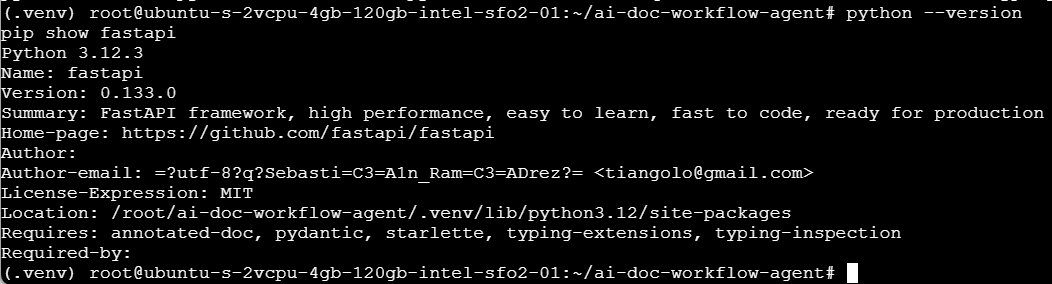
- Create a project directory (e.g.,
ai-doc-workflow-agent) - Create and activate a virtual environment using
venv(This establishes a clean, isolated runtime for the documentation workflow agent.) - Install required dependencies:
fastapiuvicornrequestspython .envpydantic
Step 3: Create the FastAPI application and define the /plan endpoint
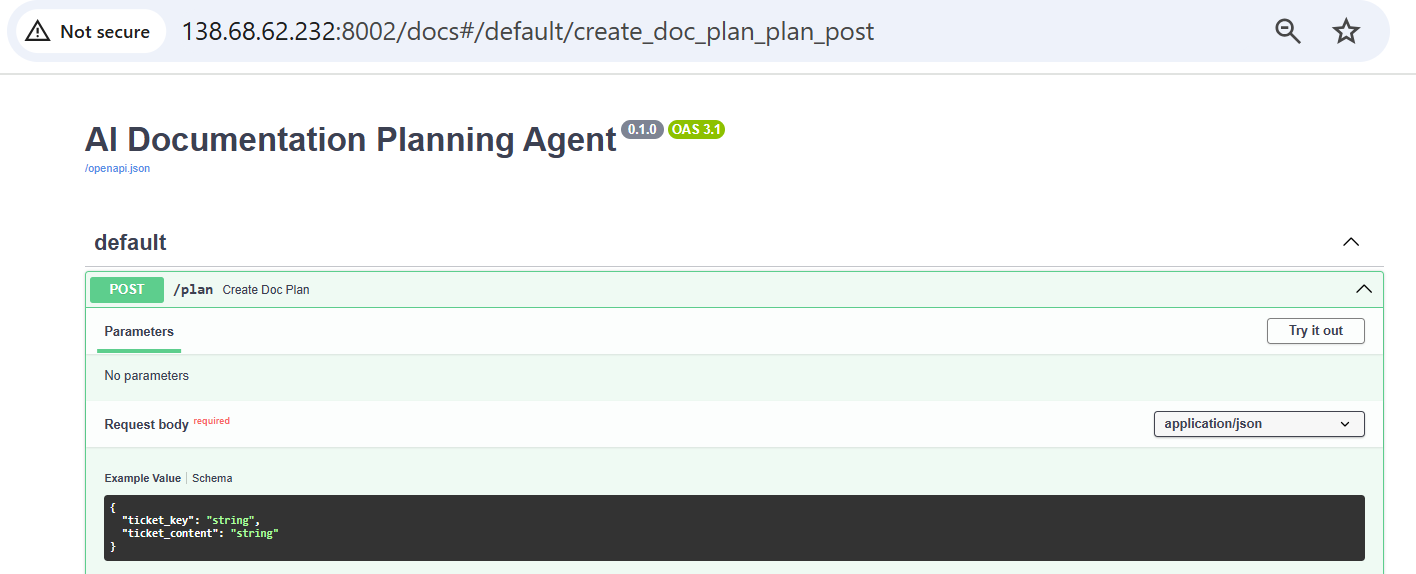
With the environment ready, the next step is to build the API service that powers the documentation workflow. Create a main.py file and initialize a FastAPI application. The service exposes a single endpoint:
POST /plan
This endpoint:
- Accepts structured Jira ticket content
- Validates the request using a Pydantic model
- Transforms the ticket into a documentation blueprint
- Writes the output to a timestamped Markdown file
- Returns the generated filename and a preview in the JSON response
The request body structure:
{
  "ticket_key": "KAN-4",
  "ticket_content": "Structured Jira ticket content..."
}
The response structure:
{
  "generated_file": "KAN-4_doc_plan_20260225183130.md",
  "preview": "# Documentation Plan — KAN-4..."
}
Step 4: Add AI generation and deterministic fallback logic
With the /plan endpoint in place, the next step is to implement the logic that converts the Jira ticket into a structured documentation blueprint.
This step has two execution paths:
- AI-assisted generation (optional)
- Deterministic fallback generation (mandatory)
AI-assisted generation (optional)
If a valid OPENAI_API_KEY is available, the service:
- Sends the structured Jira ticket content to the OpenAI API
- Uses a prompt template to request a structured documentation blueprint
- Receives Markdown-formatted output
- Returns the generated plan
This helps dynamic blueprint generation based on ticket complexity.
Deterministic fallback logic (required)
To ensure the system remains operational when service automatically switches to a predefined blueprint template.:
- No API key is configured, or
- API quota is exceeded, or
- Network/API errors occur
The fallback guarantees that documentation workflows do not depend on external AI availability.:
- Generates a structured documentation plan
- Maintains consistent section formatting
- Ensures predictable output structure
Why fallback matters
Resilient systems do not fail when dependencies fail.
By implementing deterministic fallback logic, the documentation workflow:
- Remains reliable
- Avoids blocking writers
- Maintains consistent structure
- Demonstrates production-aware system design

Step 5: Run the service and validate using curl
With the application logic implemented, the next step is to run the FastAPI service and verify the workflow using a command-line request.
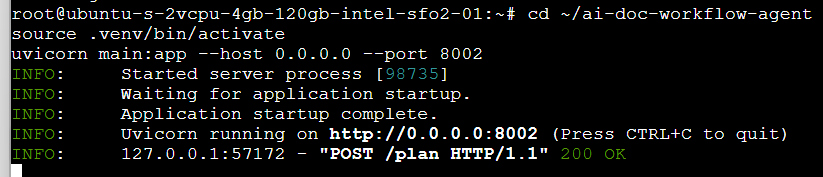
Start the application using Uvicorn:
uvicorn main:app --host 0.0.0.0 --port 8002
Once the server is running, create a payload.json file containing the structured Jira ticket content:
{
  "ticket_key": "KAN-4",
  "ticket_content": "Structured Jira ticket content..."
}
Send a POST request to the /plan endpoint using curl:
 curl -X POST "http://127.0.0.1:8002/plan" \
  -H "Content-Type: application/json" \
  --data-binary @payload.json
Confirm the following:
-
A 200 OK response is returned
-
The JSON response includes the generated filename
-
A timestamped Markdown file is created in the project directory
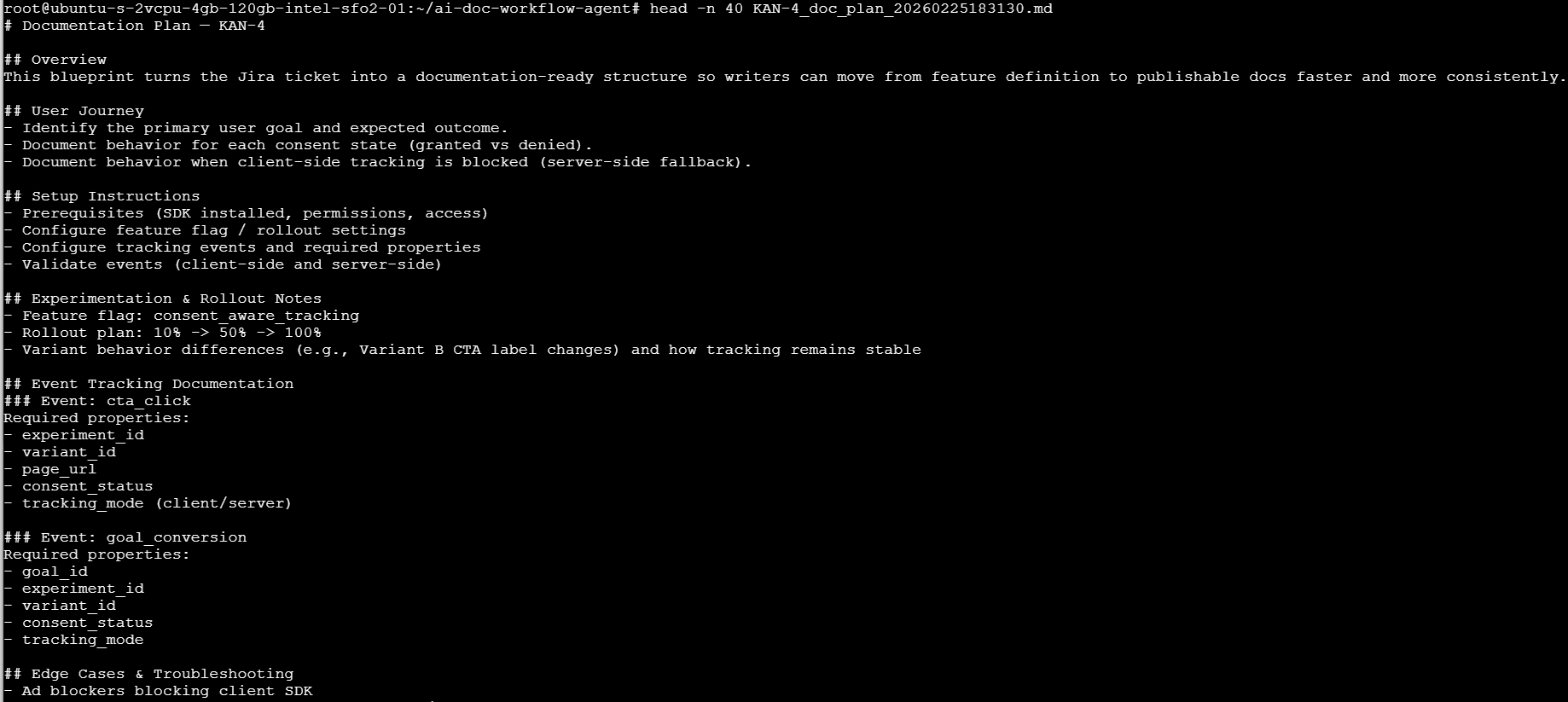
You can verify the contents of the generated file:
head -n 40 KAN-4_doc_plan_<timestamp>.md
Assumptions
The current implementation operates under the following assumptions:
- Jira tickets are already structured with clearly defined sections (problem, goal, tracking, edge cases, etc.).
- The input ticket content is manually extracted and passed into the API as JSON.
- Documentation blueprints are generated as Markdown files stored locally.
- No authentication or access control is implemented for the API endpoint.
- The system runs in a trusted environment (e.g., internal server or development environment).
- The fallback template structure is acceptable when AI generation is unavailable.
- There is no versioning or deduplication mechanism for generated files.
- The service is intended for documentation planning, not final publish-ready documentation.
Future scope
This project demonstrates a foundational documentation workflow automation service. Many improvements are needed to make it a more production-ready documentation system.
-
Batch processing of multiple Jira tickets
Support generating documentation plans for multiple tickets in a single request. -
Direct Jira API integration
Automatically fetch ticket content using Jira APIs instead of manually passing structured JSON. -
GitHub integration for automatic pull requests
Automatically commit generated Markdown files to a documentation repository and open pull requests. -
Mode visibility in API response
Explicitly return whether the system operated in AI mode or fallback mode. -
Customizable blueprint templates
Allow teams to define documentation templates based on product area (API docs, SDK docs, feature docs, etc.). -
Structured output validation
Enforce consistent section presence and schema validation on generated Markdown. -
Role-based documentation plans
Generate variations of documentation blueprints tailored to technical writers, DevRel, or support teams. -
Observability and logging
Add structured logging and metrics to monitor usage patterns and generation success rates. -
Containerization and deployment automation
Package the service using Docker and deploy via CI/CD pipelines.