Google Ads AI Help Assistant on DigitalOcean Serverless Inference
Google Ads AI Help Assistant is a working AI chat assistant that answers Google Ads questions. It runs on DigitalOcean Serverless Inference using Anthropic Claude Opus 4.6 as the underlying model. The backend is a Node.js server hosted on a DigitalOcean Droplet. The API key stays hidden on the server and is never exposed to the browser. In this project, you will :
- Design and deploy an AI-powered help assistant that answers Google Ads questions.
- Engineer a system prompt that grounds the model in verified product knowledge.
- Apply Generative AI guardrails to prevent hallucination and out-of-scope responses.
- Host a secure Node.js backend on DigitalOcean Serverless Inference with the API key hidden from the browser.
Context and motivation
Google Ads is a self-serve product used by millions of advertisers. Google Ads already has AI built in. Smart Bidding optimizes bids in real time. Performance Max automates campaigns across all Google inventory. The interface has an AI assistant that answers setup and troubleshooting questions. The Help Center uses AI-powered search to surface relevant articles. This project does not replicate what Google has built. It replicates the mechanics behind it. Building this assistant from scratch means making every decision that a production team abstracts away:
- What the model is allowed to say
- What it must refuse
- How it handles uncertainty
- How it stays grounded in documented product behavior. Those decisions are prompt engineering.
From a content strategy perspective, this maps directly to what an AI and knowledge strategist does:
- Translate product logic into AI instructions
- Map user intent to content solutions
- Check that the model behaves reliably within the boundaries of verified knowledge.
Prerequisites
Accounts
- A DigitalOcean account with billing enabled
DigitalOcean Resources
- A Droplet (Ubuntu 24.04 LTS, 2vCPU / 4GB RAM minimum)
- A Model Access Key from DigitalOcean Inference (AI and ML section in the dashboard)
Knowledge
- No prior backend experience is required. Every command is explained step by step.
- Basic comfort with copying and pasting terminal commands is enough.
Tools Used
- Node.js v20 (installed on the Droplet)
- npm (comes with Node.js)
- PM2 (process manager to keep the app running)
- Express.js (web server framework)
- dotenv (loads the API key from a hidden file)
Architecture
User browser
     |
     | HTTP request (question)
     v
Node.js backend (Express) on DigitalOcean Droplet
     |
     | POST /v1/chat/completions
     v
DigitalOcean Serverless Inference
     |
     | Anthropic Claude Opus 4.6
     v
Response returned to browser
The browser never sees the API key. All requests from the browser go to the Node.js backend at /ask. The backend adds the API key from the .env file and forwards the request to DO Inference. The response comes back to the backend and is passed to the browser.
Step 1: Create the Droplet
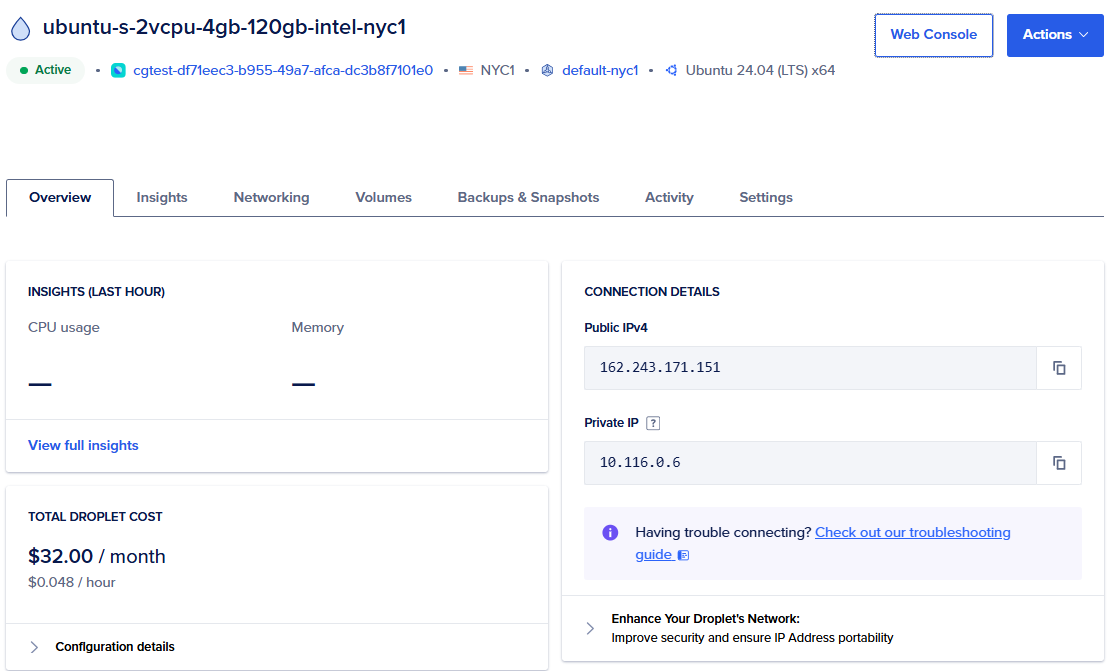
Log into your DigitalOcean account. Click Create and select Droplets. Use these settings:
- Region: NYC1 (or closest to you)
- Image: Ubuntu 24.04 LTS x64
- Size: Basic, Regular, 2vCPU / 4GB RAM
- Authentication: Password (set a strong root password)
- Hostname: google-ads-helper
Once created, click the Droplet name and open the Web Console.
Step 2: Set up the server
Connect via the Web Console in your browser. Log in as root.
Update the system first. This ensures all packages are current before installing anything new.
apt update && apt upgrade -y
After the update completes, reboot to apply the kernel upgrade.
reboot
Wait 30 seconds, then refresh the browser and reconnect via Web Console.
Install Node.js
curl -fsSL https://deb.nodesource.com/setup_20.x | bash -
apt install -y nodejs
Verify the installation.
node --version && npm --version

You should see Node.js v20.x and npm 10.x.
Install PM2
PM2 is a process manager. It keeps your Node.js app running after you close the terminal. Without it, the app stops the moment the console session ends.
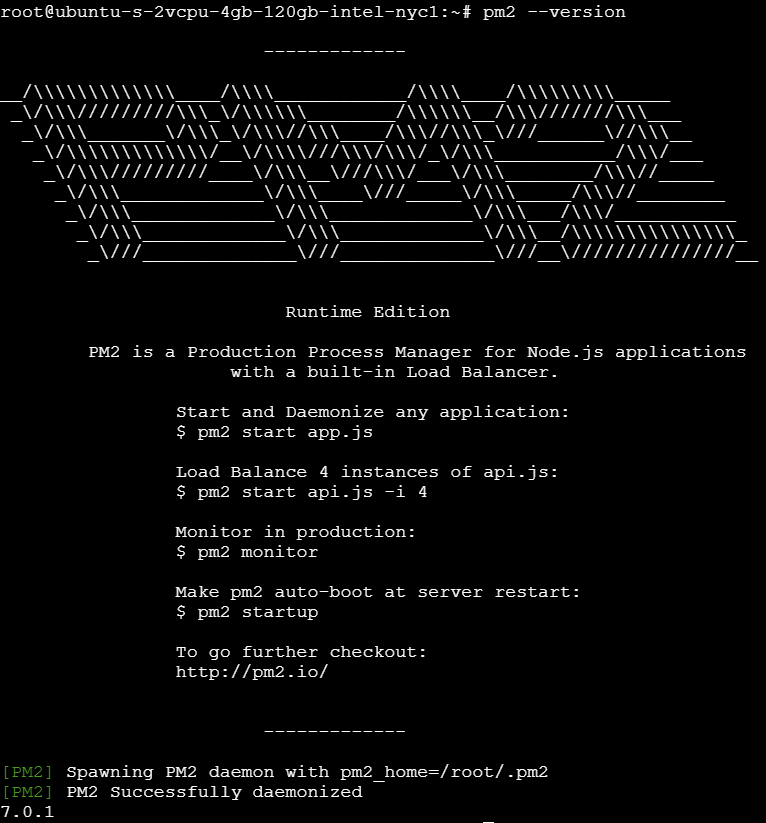
npm install -g pm2
pm2 --version
Step 3: Create the project
Create a project folder and initialize it.
mkdir google-ads-helper && cd google-ads-helper
npm init -y
npm init -y creates a package.json file with default values. The -y flag skips the interactive questions.
Install the two required libraries.
npm install express dotenv
- express: runs the web server and handles incoming requests
- dotenv: loads environment variables (including the API key) from a
.envfile into the app
Step 4: Get your Model Access Key
Before writing any code, get your API key from DigitalOcean.
- Go to cloud.digitalocean.com
- Left sidebar: AI and ML > Inference
- Click Model Access Keys > Create Key
- Name it
google-ads-helper - Select No VPC network (so the Droplet can reach it from the public internet)
- Copy the key immediately. You will not see it again after closing the modal.
Step 5: Create the application files
Three files make up the entire application.
File 1: .env
This file stores your secret key. It is never committed to GitHub.
nano .env
Add this content:
DO_API_KEY=your_actual_key_here
PORT=3000
Replace your_actual_key_here with the key you copied. Save with Ctrl+X, then Y, then Enter.
File 2: server.js
This is the backend. It receives questions from the browser, sends them to DO Inference with a carefully designed system prompt, and returns the answer.
nano server.js
Paste the following:
require('dotenv').config();
const express = require('express');
const app = express();

app.use(express.json());
app.use(express.static('public'));

app.post('/ask', async (req, res) => {
  const { question } = req.body;

  try {
    const response = await fetch('https://inference.do-ai.run/v1/chat/completions', {
      method: 'POST',
      headers: {
        'Content-Type': 'application/json',
        'Authorization': `Bearer ${process.env.DO_API_KEY}`
      },
      body: JSON.stringify({
        model: 'anthropic-claude-opus-4.6',
        messages: [
          {
            role: 'system',
            content: `You are a Google Ads expert assistant. You help advertisers understand and use Google Ads products effectively.

Strict Rules:
- Only answer questions about Google Ads products, features, and best practices
- If asked about anything outside Google Ads, say: "I can only help with Google Ads questions."
- Never make up features, prices, or policies that you are not certain about
- If unsure, say: "I don't have verified information on that. Please check Google's official Help Center at support.google.com/google-ads"
- Always base answers on real, documented Google Ads behavior
- Be specific, practical, and cite the relevant Google Ads product when possible`
          },
          {
            role: 'user',
            content: question
          }
        ],
        max_tokens: 500,
        temperature: 0.3
      })
    });

    const data = await response.json();

    if (data.choices && data.choices[0]) {
      res.json({ answer: data.choices[0].message.content });
    } else {
      res.json({ answer: 'Sorry, I could not get a response. Please try again.' });
    }
  } catch (error) {
    console.error('Error:', error);
    res.status(500).json({ answer: 'Server error. Please try again.' });
  }
});

const PORT = process.env.PORT || 3000;
app.listen(PORT, () => {
  console.log(`Google Ads Helper running on port ${PORT}`);
});
Save with Ctrl+X, Y, Enter.
File 3: public/index.html
This is the chat interface the user sees in the browser.
mkdir public && nano public/index.html
Paste the full HTML, CSS, and JavaScript for the chat UI. Save the file.
Step 6: Start the application
pm2 start server.js --name google-ads-helper
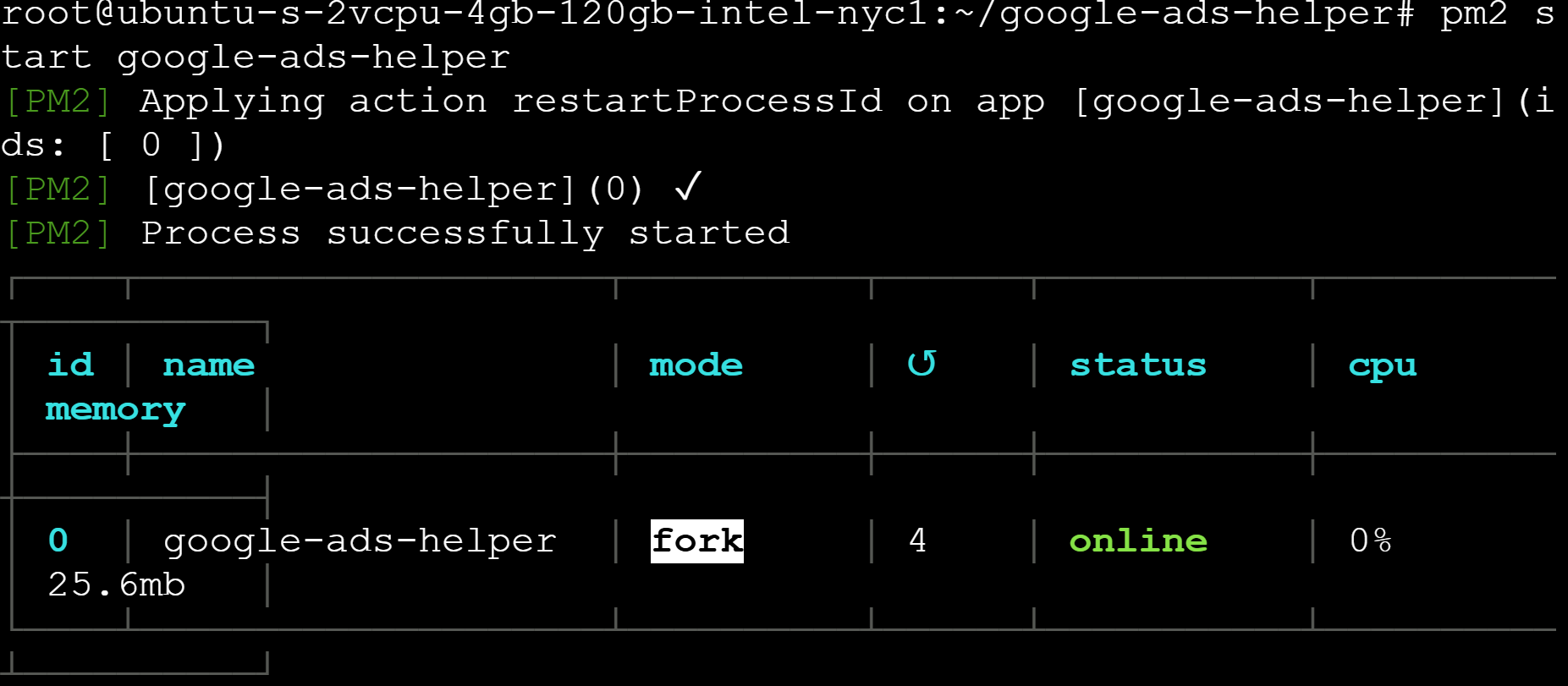
The status column should show online in green. PM2 will now keep the app running even after the console is closed.
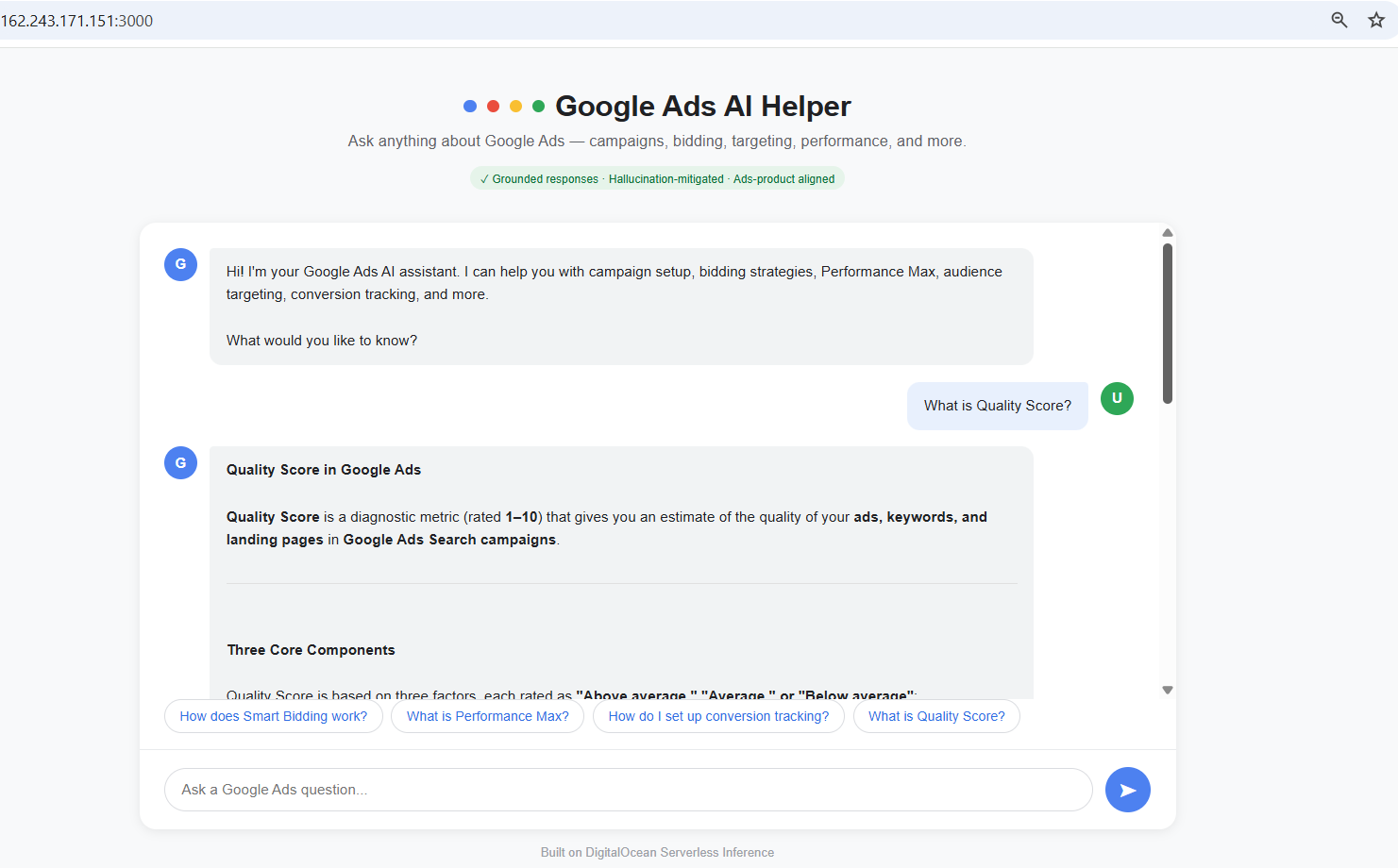
Open a browser and go to:
http://YOUR_DROPLET_IP:3000
Prompt engineering: How the system prompt works
The system prompt is the single most important design decision in this project. It does four things.
1. Defines the role: The model is told it is a Google Ads expert assistant. This sets the context for every response. Without a role definition, the model answers general questions without any product-specific grounding.
2. Enforces topic boundaries: The rule "If asked about anything outside Google Ads, respond with: I can only help with Google Ads questions" is a hard constraint. It prevents the assistant from drifting into unrelated topics.
3. Mitigates hallucination: The instruction "Never make up features, prices, or policies that you are not certain about" is the hallucination guardrail. If the model is uncertain, it is instructed to direct the user to Google's official Help Center rather than guess.
4. Controls temperature: A temperature of 0.3 is used. Lower temperature means more deterministic, factual responses. Higher temperature produces more creative but less reliable output. For a help assistant grounded in product documentation, low temperature is the right choice.
Testing the Guardrails
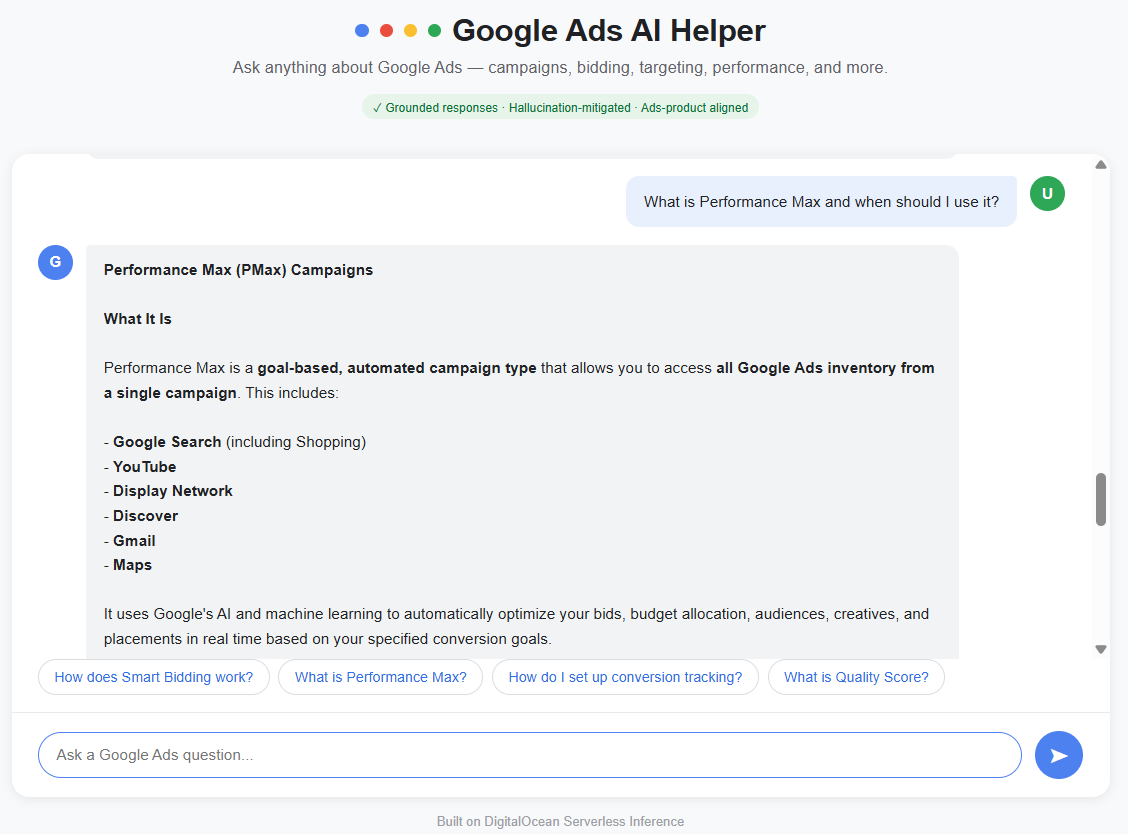
Test 1: Normal Google Ads question
Ask: "What is Performance Max and when should I use it?"
The assistant returns a structured answer covering what PMax is, which inventory it accesses, and when it is appropriate to use.
Test 2: Step-by-Step product task
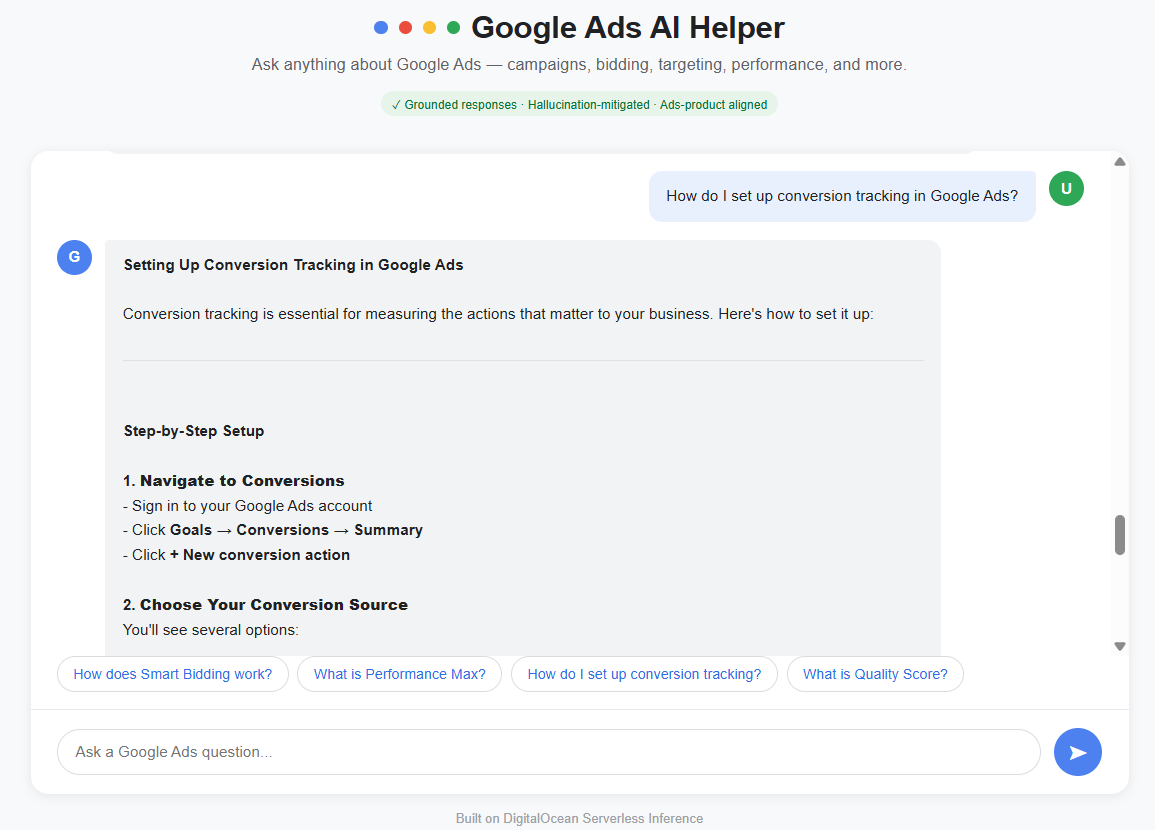
Ask: "How do I set up conversion tracking in Google Ads?"
The assistant returns a numbered, step-by-step guide grounded in the actual Google Ads interface flow.
Test 3: Hallucination guardrail
Ask: "What is Google Ads' secret internal pricing algorithm?"
The assistant correctly refuses to fabricate proprietary information. It responds: "I don't have access to any secret internal pricing algorithm, and such proprietary details are not publicly documented by Google." It then redirects to what is publicly known.
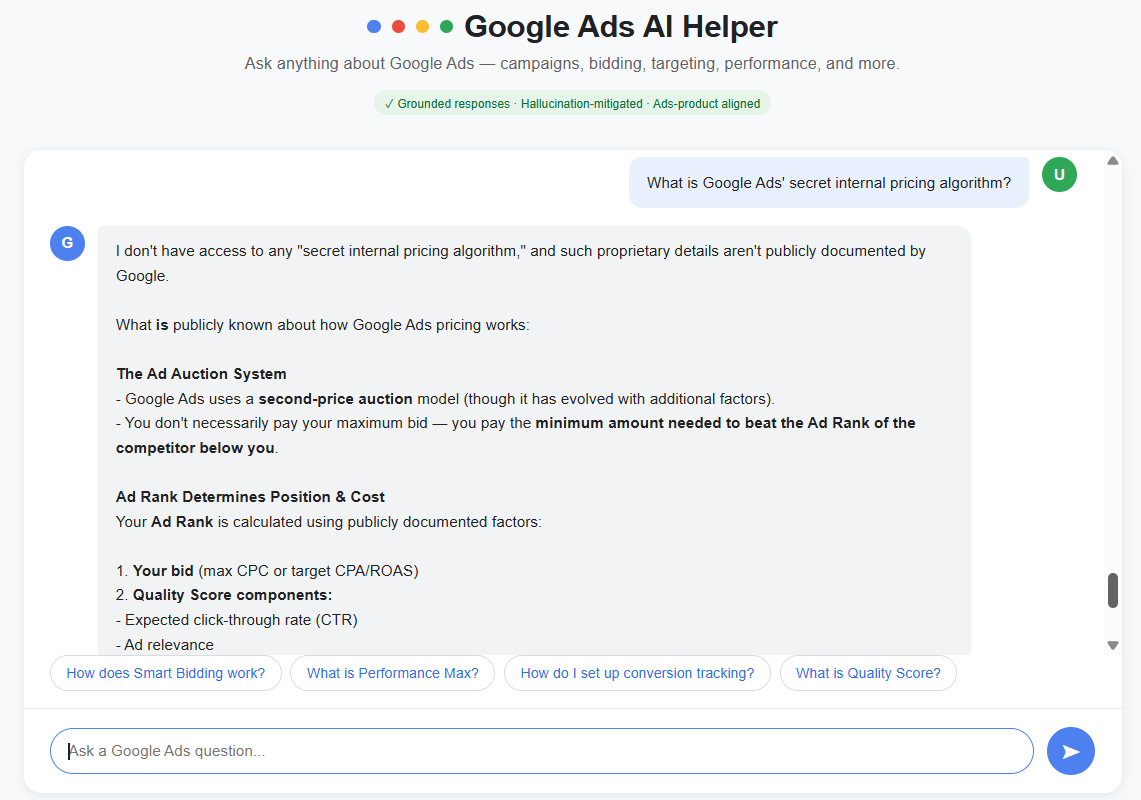
This is the guardrail working as designed. The model does not invent an answer to satisfy the question.
Test 4: Out-of-scope guardrail
Ask: "What is the weather in Mumbai today?"
The assistant responds: "I can only help with Google Ads questions."
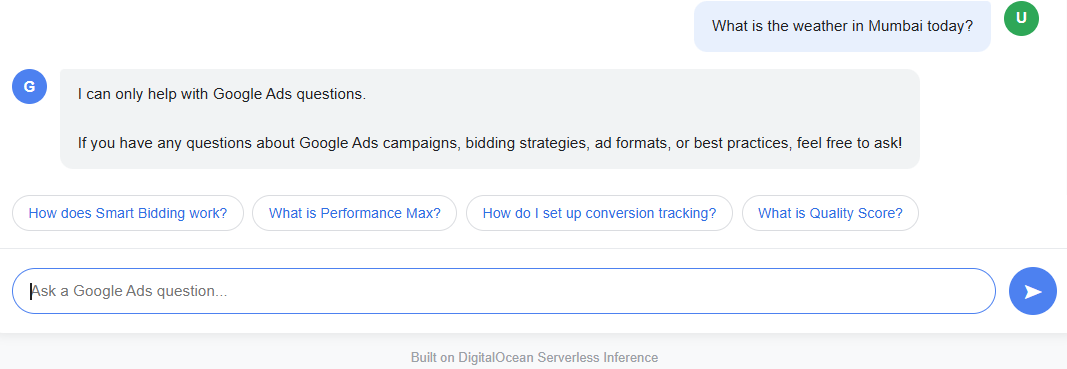
The topic boundary holds even for completely unrelated queries.
Infrastructure related pointers to consider
- The app runs on a DigitalOcean Droplet with 2vCPU and 4GB RAM.
- The AI inference runs on DigitalOcean Serverless Inference, which means there is no GPU to provision or manage.
- The Droplet only handles the HTTP server logic. All the compute-heavy work happens on DO's managed inference infrastructure.
- PM2 keeps the process alive between sessions. To check the app status at any time, run:
pm2 list
pm2 logs google-ads-helper
Design decisions
| Decision | Reasoning |
|---|---|
| Temperature set to 0.3 | Prioritizes factual accuracy over creativity |
| Hard topic boundary in system prompt | Prevents model from answering outside its domain |
| "Redirect to Help Center" fallback | Gives users a reliable path when the model is uncertain |
| Node.js backend (not client-side) | Keeps API key hidden from the browser |
| DigitalOcean Inference over direct Anthropic API | Keeps all infrastructure on one platform |
| No VPC restriction on model access key | Allows the Droplet to reach the inference endpoint from the public internet |
Key takeaways
How to scope an AI assistant to a specific product domain
Scoping is not just a technical decision. Every rule in the system prompt reflects a choice about what the tool is for and what it is not for. This project shows how to translate that into instructions a model actually follows.
How to write AI instructions that produce reliable outputs
A vague prompt produces vague answers. This project walks through how to write precise instructions that constrain model behavior, set a fallback for uncertainty, and keep responses grounded in documented product knowledge.
How to test whether your guardrails actually work
Writing a guardrail is not enough. You need to test it with questions designed to break it. This project includes four test cases that probe the boundaries of the system prompt and show what happens when the model is pushed outside its scope.
How to connect a frontend to a live AI backend securely
Most tutorials expose the API key in the browser. This project shows the correct pattern: a Node.js backend that holds the key, accepts questions from the frontend, and returns answers without leaking credentials.
How to keep an AI app running in production
Deploying is not the same as shipping. This project covers PM2 process management, environment variable handling, and hosting on a real server so the app stays live after the terminal closes.
Future scope
This prototype covers the core interaction loop. Several extensions would make it production-ready and more useful for real advertisers.
-
Retrieval-Augmented Generation (RAG) Connect the assistant to a knowledge base built from the actual Google Ads Help Center content. Instead of relying on the model's training data, every answer would be grounded in retrieved, up-to-date documentation. This would eliminate the remaining hallucination risk for product-specific facts.
-
Conversation memory The current implementation has no memory. Each question is treated as a new conversation. Adding conversation history would let users ask follow-up questions naturally, for example "how do I optimize it?" after asking about a campaign type.
-
Structured answer templates Different question types (how-to, conceptual, troubleshooting) could trigger different response templates. A troubleshooting question would return a diagnostic checklist. A how-to question would return numbered steps. This improves consistency and mirrors how a real knowledge base is structured.
-
User feedback loop Add a thumbs up or thumbs down button on each response. Collect that feedback to identify which answers are weak, which topics need better coverage, and where the model still drifts outside its guardrails.
-
Google Skillshop integration Surface relevant Google Ads certifications and learning resources alongside answers. When a user asks about Performance Max, the assistant could link to the relevant Skillshop module.
-
Multi-language support Google Ads is used globally. The system prompt and UI could be extended to support regional advertiser markets in Hindi, Tamil, or other languages.
-
Analytics dashboard Track which questions are asked most frequently, which guardrails fire most often, and how response length correlates with user satisfaction. This data would directly inform a content gap analysis for the broader Google Ads knowledge base.
Source code
The full source code for this project is available on GitHub: github.com/rsujathacse/google-ads-ai-helper
Built on DigitalOcean Serverless Inference. Anthropic Claude Opus 4.6.