Vector Search and Hybrid Retrieval in Elasticsearch
Search systems combine lexical relevance with semantic similarity to improve retrieval quality. Elasticsearch supports both approaches natively for production-grade hybrid search systems for AI applications, RAG pipelines, and knowledge retrieval.
This guide covers:
- Lexical vs semantic retrieval
- Dense vector indexing
- kNN search in Elasticsearch
- Hybrid query strategies
- Performance and production considerations
Tested in Elastic Cloud (Kibana Console)
The examples in this guide were validated in an Elasticsearch Dev tools->Console deployment using Kibana → Dev Tools → Console.
I created a sample index with a dense_vector field, indexed example documents, and compared BM25-only, kNN-only, and hybrid retrieval results.
1. Why Hybrid Retrieval Matters
Traditional search systems rely on keyword matching (BM25). While effective for exact matches, lexical search struggles with:
- Synonyms
- Conceptual similarity
- Vocabulary mismatch
- Natural language queries
Vector search improves recall by retrieving semantically similar documents. However, pure semantic search may reduce precision.
Hybrid retrieval combines:
- Precision from lexical scoring
- Recall from semantic similarity
This approach is foundational for modern AI-powered search systems.
2. Lexical vs Semantic Search
Lexical Search (BM25)
Elasticsearch’s default scoring algorithm is BM25.
It evaluates:
- Term frequency
- Inverse document frequency
- Field normalization
Lexical search performs well when:
- Queries contain explicit keywords
- Exact phrase matching is required
- Domain terminology is stable
Semantic Search (Vector Search)
Semantic search represents text as high-dimensional embeddings.
Each document contains a dense_vector field generated by an embedding model.
Similarity is measured using:
- Cosine similarity
- Dot product
- L2 norm
Advantages:
- Handles paraphrasing
- Improves recall
- Enables intent-based retrieval
Tradeoffs:
- Requires embedding pipeline
- Higher memory usage
- Approximate nearest neighbor indexing
3. Hybrid Retrieval Architecture
A typical hybrid retrieval pipeline includes:
- Document ingestion
- Embedding generation
- Vector indexing
- Hybrid query execution
- Score fusion or reranking
User Query
  ↓
Embedding Generation
  ↓
Elasticsearch
  ├─ BM25 match query
  ├─ kNN vector query
  ↓
Fusion / Ranking
  ↓
Final Results
4. Creating an Index with Dense Vectors
Example index mapping:
Creating an index with dense vectors
PUT hybrid-index
{
  "mappings": {
    "properties": {
      "title": { "type": "text" },
      "content": { "type": "text" },
      "content_vector": {
        "type": "dense_vector",
        "dims": 1536,
        "index": true,
        "similarity": "cosine"
      }
    }
  }
}
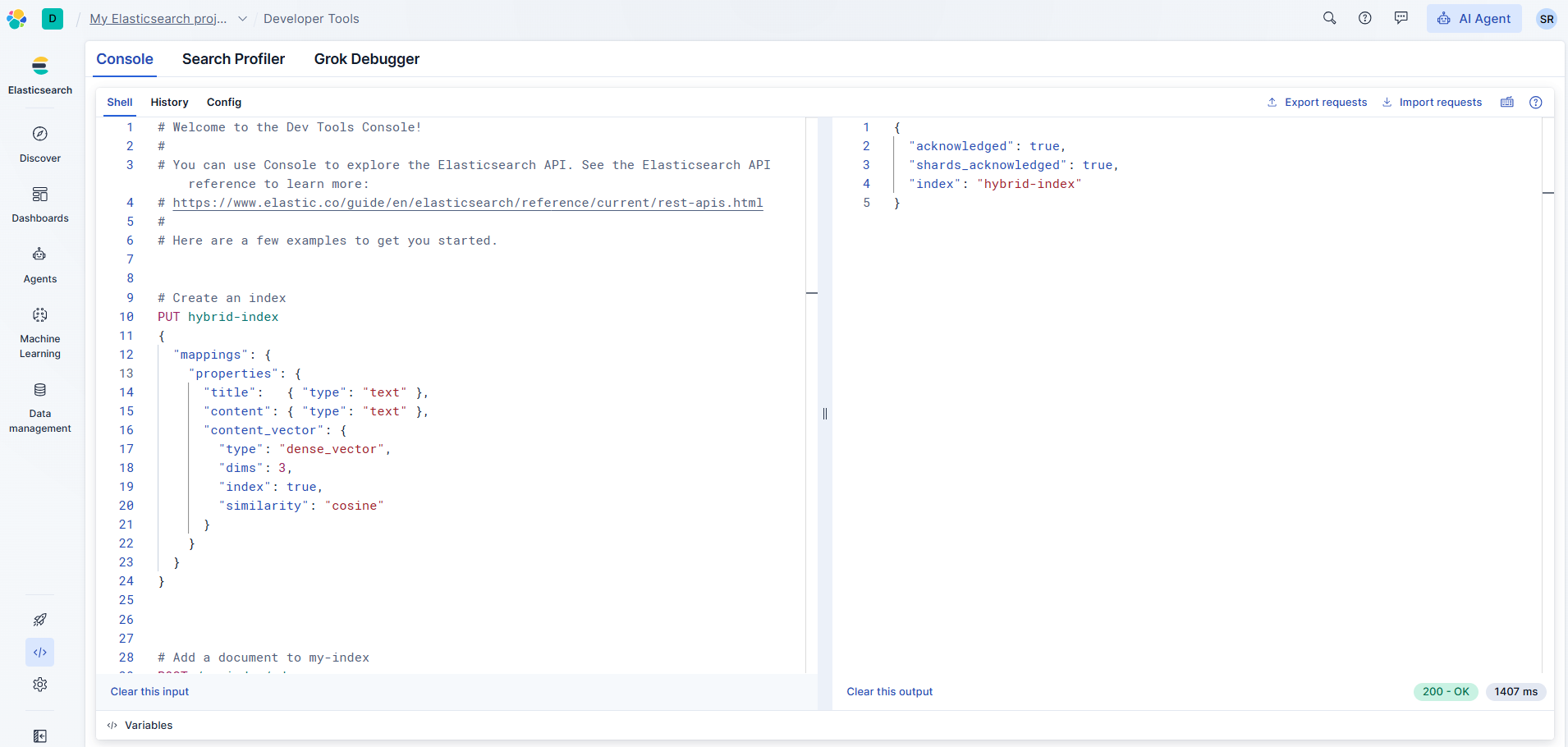
Verifying index creation in Elasticsearch Cloud
The index was created successfully using the dev tools console in an Elasticsearch deployment.
Key considerations:
- `dims` must match your embedding model output.
- Vector indexing uses HNSW internally.
- Memory usage increases with document count and `num_candidates`.
5. Ingesting Documents with Embeddings
Example document:
POST hybrid-index/_doc/1
{
  "title": "Hybrid Retrieval in Elasticsearch",
  "content": "Combining BM25 and vector similarity improves recall.",
  "content_vector": [0.0123, -0.9812, ...]
}
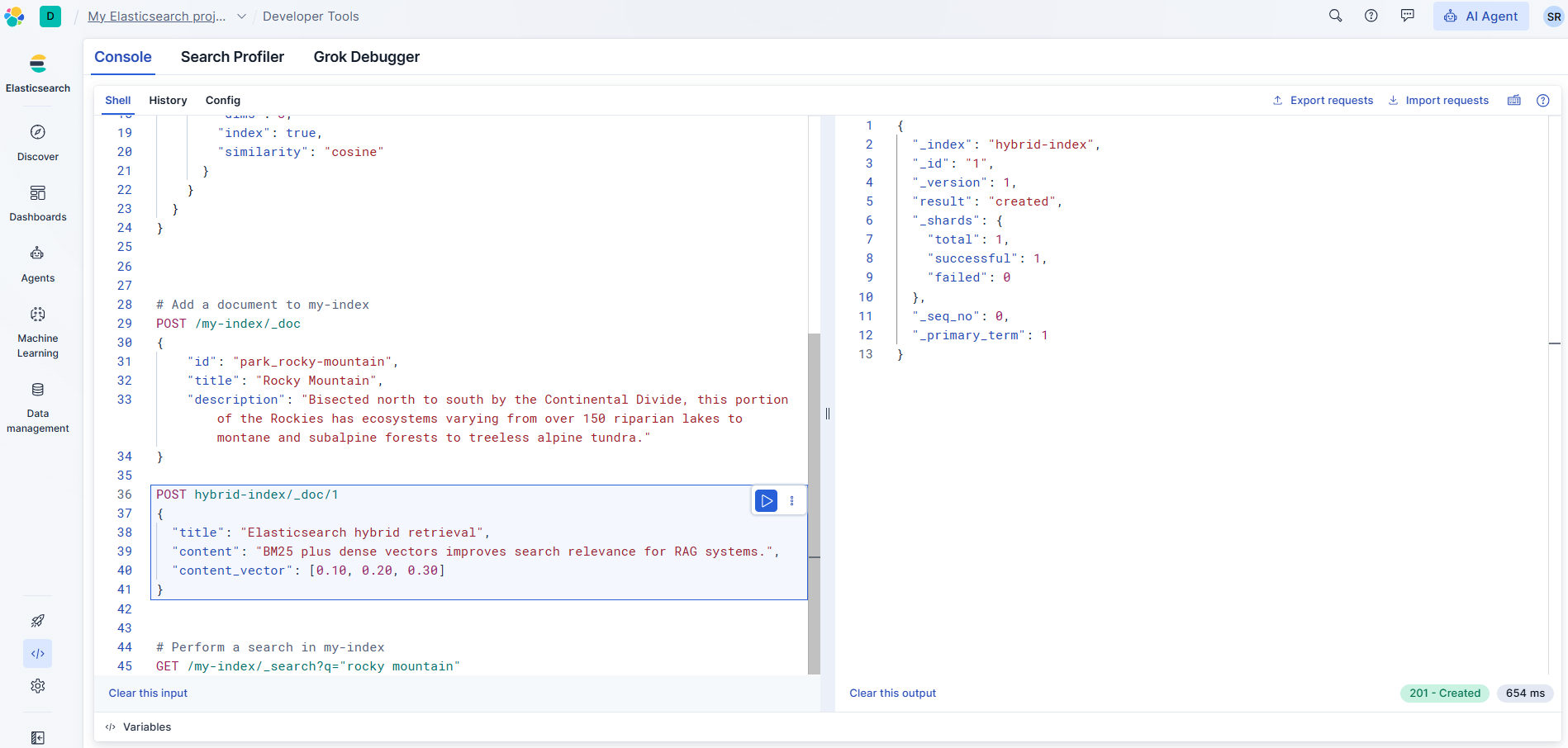
Ingesting a document with a dense vector field
The document was indexed with a 3-dimensional dense vector for demonstration purposes.
Embedding generation can be handled:
During ingestion
-In a preprocessing batch job
-In the application layer
-For production systems, embeddings should be versioned to prevent drift.
6. Performing Vector Search (kNN)
Example kNN query:
POST hybrid-index/_search
{
  "knn": {
    "field": "content_vector",
    "query_vector": [0.0213, -0.9123, ...],
    "k": 10,
    "num_candidates": 100
  }
}
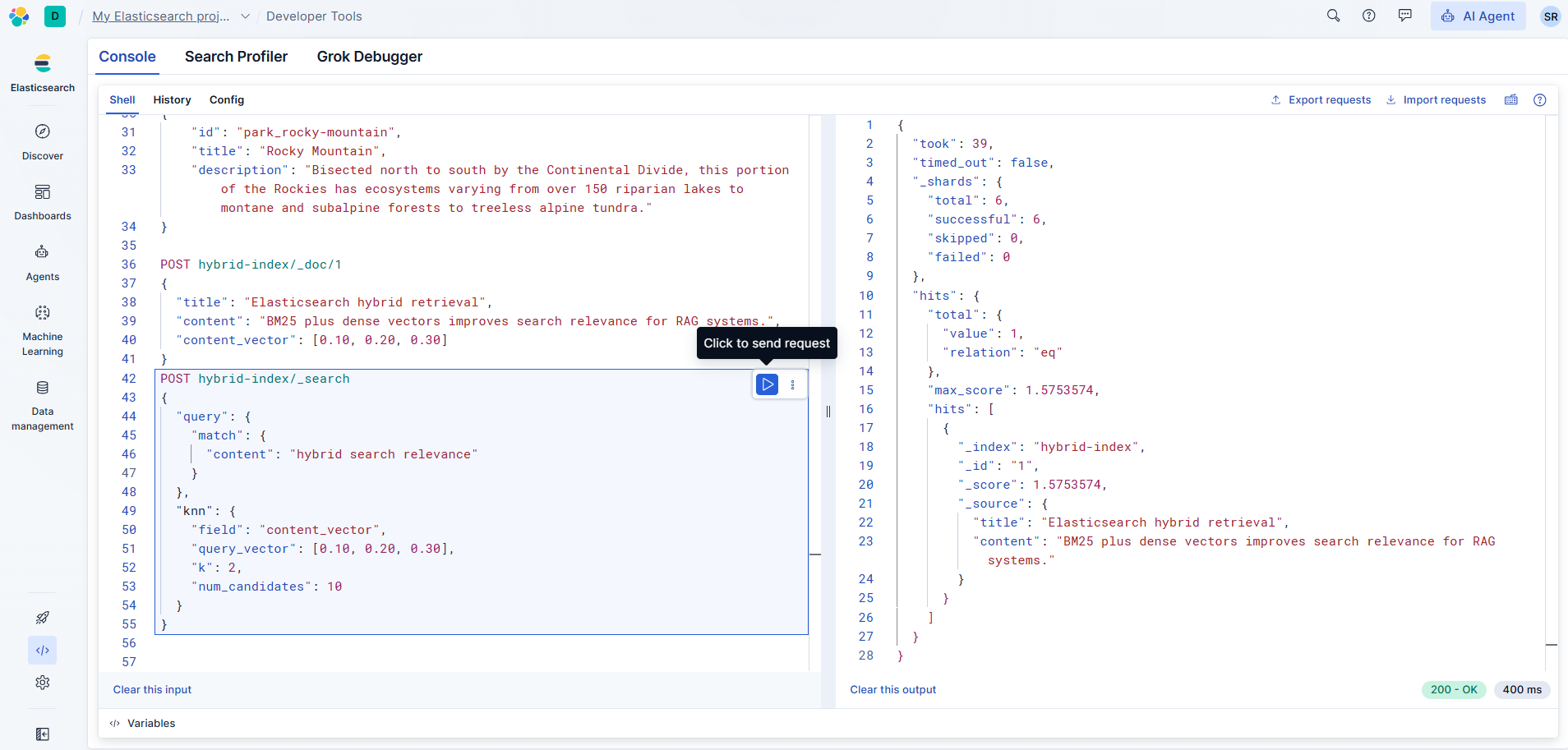
Executing a hybrid search query
The query combines:
- BM25 match on content
- kNN vector similarity
Parameters:
-k: number of returned documents
-num_candidates: controls recall vs latency tradeoff
-Higher num_candidates improves recall but increases compute cost.
7. Implementing Hybrid Queries
Elasticsearch allows combining lexical and vector retrieval.
Example hybrid search:
POST hybrid-index/_search
{
  "query": {
    "bool": {
      "should": [
        {
          "match": {
            "content": "hybrid retrieval system"
          }
        }
      ]
    }
  },
  "knn": {
    "field": "content_vector",
    "query_vector": [0.0213, -0.9123, ...],
    "k": 10,
    "num_candidates": 100
  }
}
Hybrid strategies include:
-Score blending
-Weighted combination
-Reciprocal Rank Fusion (RRF)
-Application-level reranking
8. Performance and Scaling Considerations
HNSW Indexing Elasticsearch uses HNSW (Hierarchical Navigable Small World graphs) for approximate nearest neighbor search.
Key tuning areas:
-num_candidates
-Memory allocation
-Shard count
Memory Management -Vector search increases heap usage.
Recommendations:
-Use fewer shards for vector-heavy workloads
-Monitor segment merges
-Enable slow logs
-Load test hybrid queries before production
-Latency Tradeoffs -Hybrid queries introduce:
Additional compute cost
-Scoring overhead
-Potential tail latency spikes
Mitigation:
-Cache frequent queries
-Limit vector candidate pool
-Use reranking selectively
9. Production Pitfalls
Common issues:-Embedding drift after model upgrades
-Large vector fields increasing storage cost
-Relevance inconsistencies between lexical and semantic scoring
-Query performance degradation at scale
Best practices:-Version embeddings
-Benchmark recall and latency
-Monitor cluster memory
-Test failure scenarios
10. When to Use Hybrid Retrieval
Hybrid retrieval is particularly effective for:
-AI assistants
-RAG pipelines
-Knowledge bases
-Support systems
-Semantic product search
Hybrid retrieval combines the precision of lexical search with the semantic understanding of vector similarity.
Elasticsearch provides:
-Native dense vector fields
-Approximate kNN search
-Flexible query composition
-Production-grade scalability
When implemented thoughtfully, hybrid retrieval improves search quality while maintaining operational performance.